
An enhanced online and mobile experience has arrived at CorePlus.
CorePlus Credit Union Online & Mobile Banking
We are excited to showcase your new digital banking experience. The reimagined platform is focused on your banking needs by making it easier for you to self-service from your smartphone, tablet, or computer. Now you can access and manage your finances faster than ever before.
Online Banking Login Android Users – Click to Download App Apple Users – Click to Download App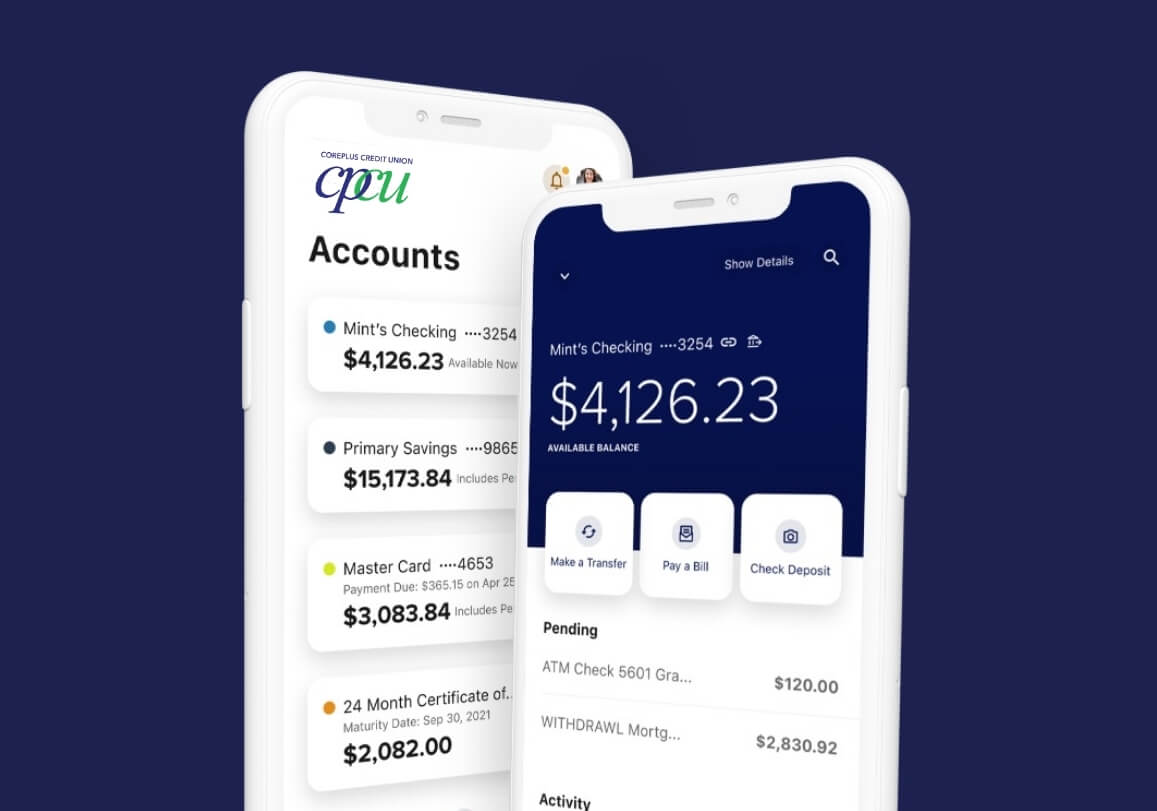
A Better Digital Banking Experience has arrived.
You told us you wanted a faster, smarter, and more secure way to manage your money, and we’ve been working hard to deliver just that.
CorePlus is proud to launch a brand-new digital banking experience built around what matters most to you.
What You Need to Know
System Restoration
Online banking, mobile banking and the mobile app are now available.
Access to Bill Pay will be unavailable until Tuesday, June 30.
All scheduled bill payments for Friday, June 26, 2026 thru Monday, June 29, 2026 will process.
Support Starting June 30th
For online banking assistance our communications center can be reached at 855-259-5109 from 9am-4:30pm Monday through Thursday and 9am-5:30pm on Friday.
Additional support staff will be available in our branches for in-person assistance during regular business hours.
What You Need to Do
- Prepare for first-time enrollment:
On June 29th, you will log in using your current username and password. You will then be prompted to create a new password by simply following the on-screen instructions. If you’ve forgotten your login credentials, please contact us so we can assist you. - Download Our New App:
Please ensure that our previous online banking app is deleted from your phone. This app will no longer support online banking. - Configure Your Alerts:
Unfortunately, Alerts previously created in the old Online Banking platform were unable to carry over to the new platform. You will need to recreate these alerts. Please follow the directions below.
Log In: Log into your new online banking platform on your desktop or mobile app.
Access Alerts: Navigate to the menu or dashboard. Locate the Tools tab (or the three horizontal dots) and select Alerts.
Choose an Alert Category: Browse available categories such as General/Security Alerts, Accounts, Transfers, or Savings Goals.
Set Your Triggers: Select the specific account you want to monitor, and define your criteria (ex., getting an alert if your balance drops below $250 or if a transfer succeeds).
Select Delivery Methods: Choose how you want to receive the notification. Our online banking supports receiving alerts via SMS text message, email, or push notification on your mobile device.
Save: Review your preferences and click Save (or Submit) to activate.
What’s New?
Features
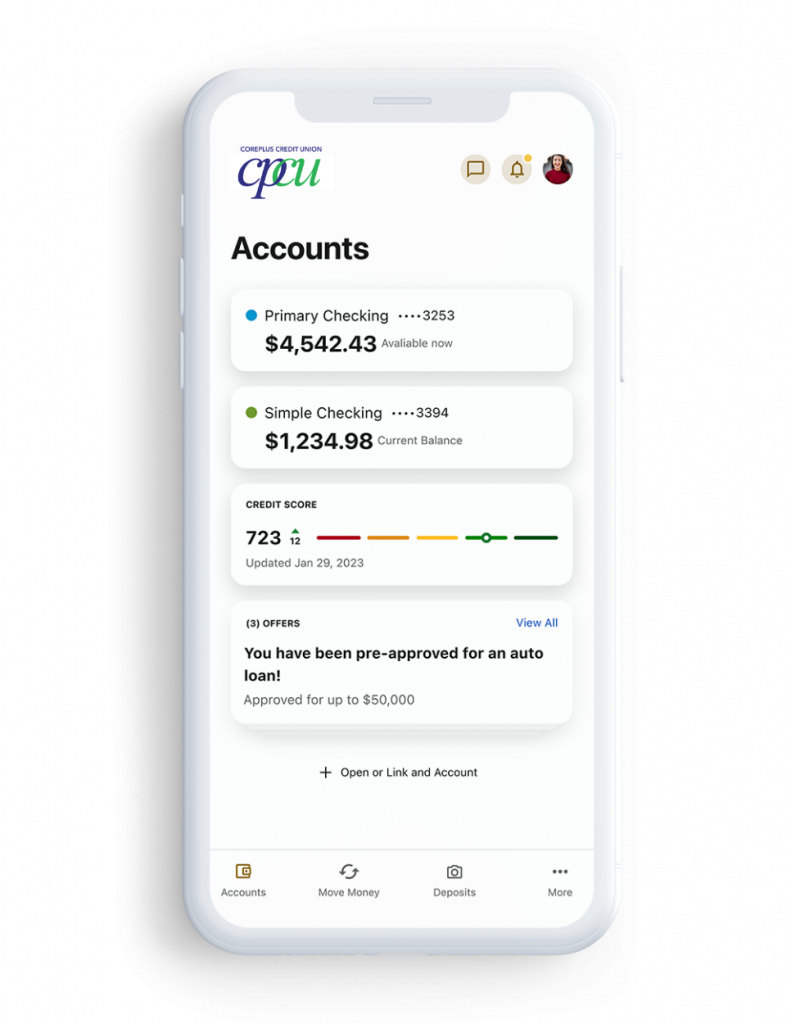
- Gain insights into your accounts and balances
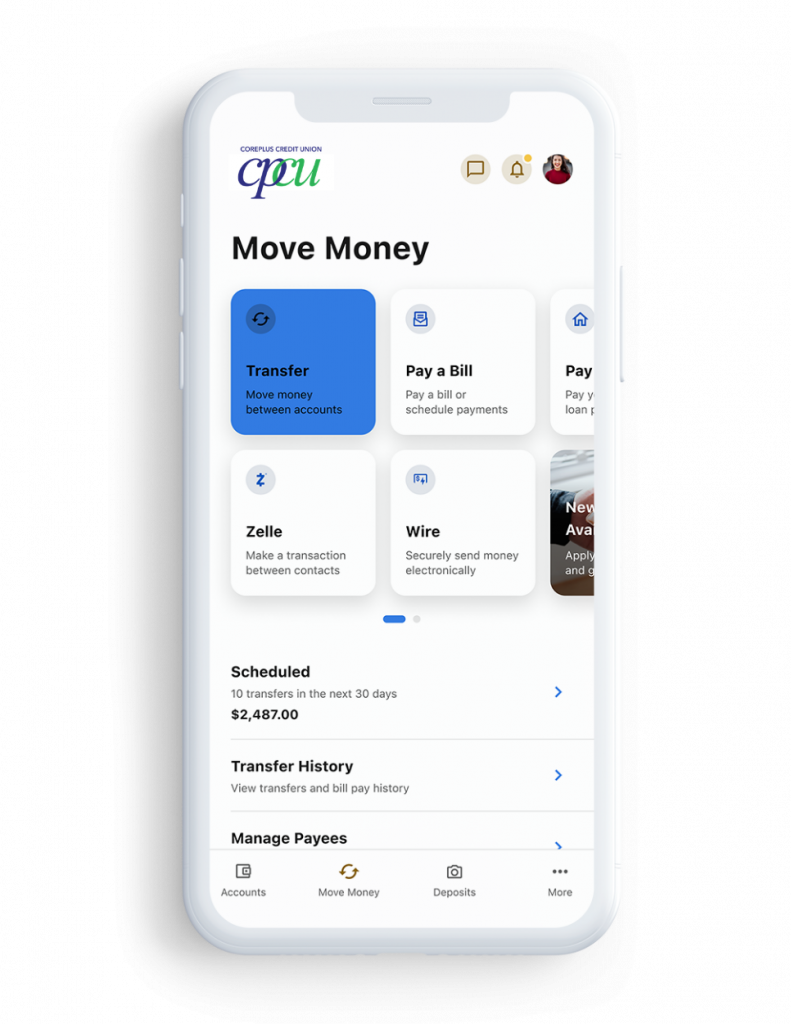
- Make transfers
- Configure profile & security settings
- Send messages
- Grow financial wellness
- Manage alerts
- Make payments
CorePlus Telephone Banking
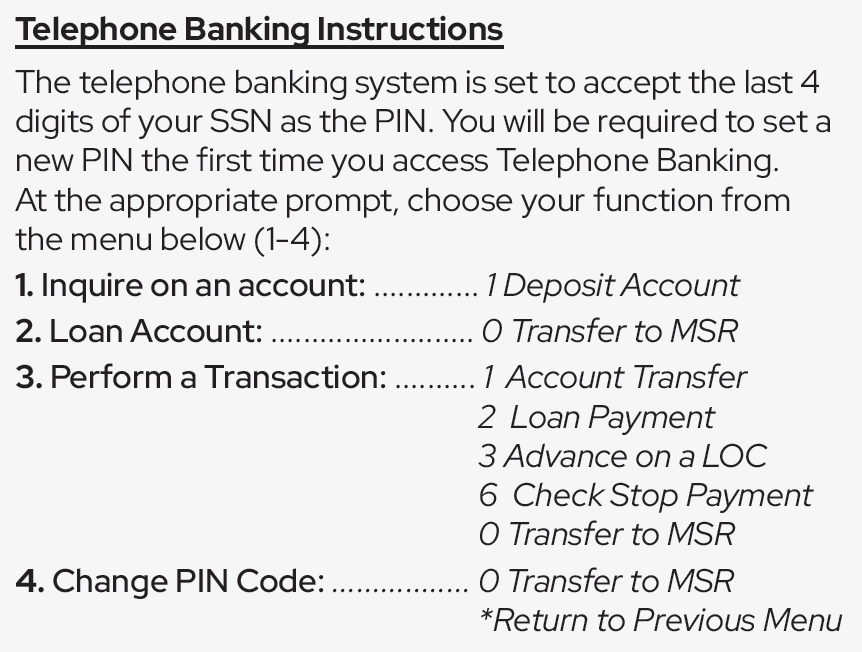
CorePlus’ Telephone Banking System is available 24/7 to check account balances, transaction history and transfer money. The tollfree number is 888-254-7372.
When calling in to the telephone banking system, please listen carefully to the prompts as there are a variety of options to assist you.
Mobile Apps
The mobile app is going to be packed with convenient features and services to make your financial life easier. Many of our branch services are also available on the app. Download our app today!


Android Users – Please search “CPCU Mobile Banking” in the Google Play store.
Digital Wallets
A digital wallet lets you pay for purchases from your mobile device just by waving or tapping it at the checkout terminal. Add your debit and credit card to your digital wallet and enjoy the convenience of paying for purchases while on the go.
Click on your preferred option below to learn more about how to activate and use your digital wallet.
Get the Most Out of Your Banking Experience
- Set up direct deposit with CorePlus Credit Union
- Create a savings goal
- Use secure in-app messaging between you and CorePlus Credit Union
- Easily make payments and transfers with industry-leading money movement capabilities
- Enroll in multi-factor authentication for improved security measures
- Send money to friends and family in seconds with Zelle®
- Opt in to notifications and alerts
- Monitor your credit score with SavvyMoney; all built right into your online banking dashboard
Supported Browsers and Devices
Browser Support


Google Chrome: Latest two versions
Firefox: Latest two versions


Microsoft Edge: Latest two versions
Safari: Latest two major versions or only the latest one version if it’s over one year old
Device Support


iOS: iOS and iPadOS 17 and higher
Android: Android 12 and higher
Windows: Versions still supported by Microsoft & support a browser listed under “Browser Support”
OS X: Versions still supported by Apple &
support a browser listed under “Browser Support”
FAQs (Frequently Asked Questions)
If you have an existing account, the first time you log into our enhanced digital banking application will be a simple process. You can expect the login process to be the same, whether you are on desktop or mobile.
To get started, visit your app store to get the most updated version of the new digital banking application.
- Once the app is open, enter in your current digital banking username and password and tap login.
- The mobile app will prompt you to create a new password.
- Read the disclosure and check the box next to I agree, then select continue.
- Select a delivery method to receive a temporary passcode, then select continue.
- Select the delivery method of your choice to receive a temporary passcode, then select continue.
- Once you have received your one-time passcode, enter it into the field provided, then click verify.
- Now create a new password ensuring it meets all necessary requirements in order to keep your account secure.
From here, the mobile app will complete your login process and take you to your accounts.
- Navigate to the login area.
- Click on the login button and click “Forgot Password?” located under the login box.
- Agree to the password safety guidelines and click continue.
- Confirm your identity. You will need your username, social security number and zip code.
- Select the method by which you would like to receive your temporary password.
- Enter your username.
- Enter the temporary password you receive. This password is good for 24 hours.
- Create your new password.
After you have logged in for the first time and updated your password, go to “Settings” located under your name in the top right corner. Select “Security” and make your changes. You can update your username and/or password and manage multi-factor authentication options.
To access online banking, use Chrome, Edge, Safari or Firefox. Please make sure to disable pop-up blockers, as those will limit access to some online banking functions.
Contact a CorePlus Credit Union representative at 860-886-0576.